Get Marketing Insights First
Subscribe to receive actionable strategies, growth tips, and industry insights delivered straight to your inbox.

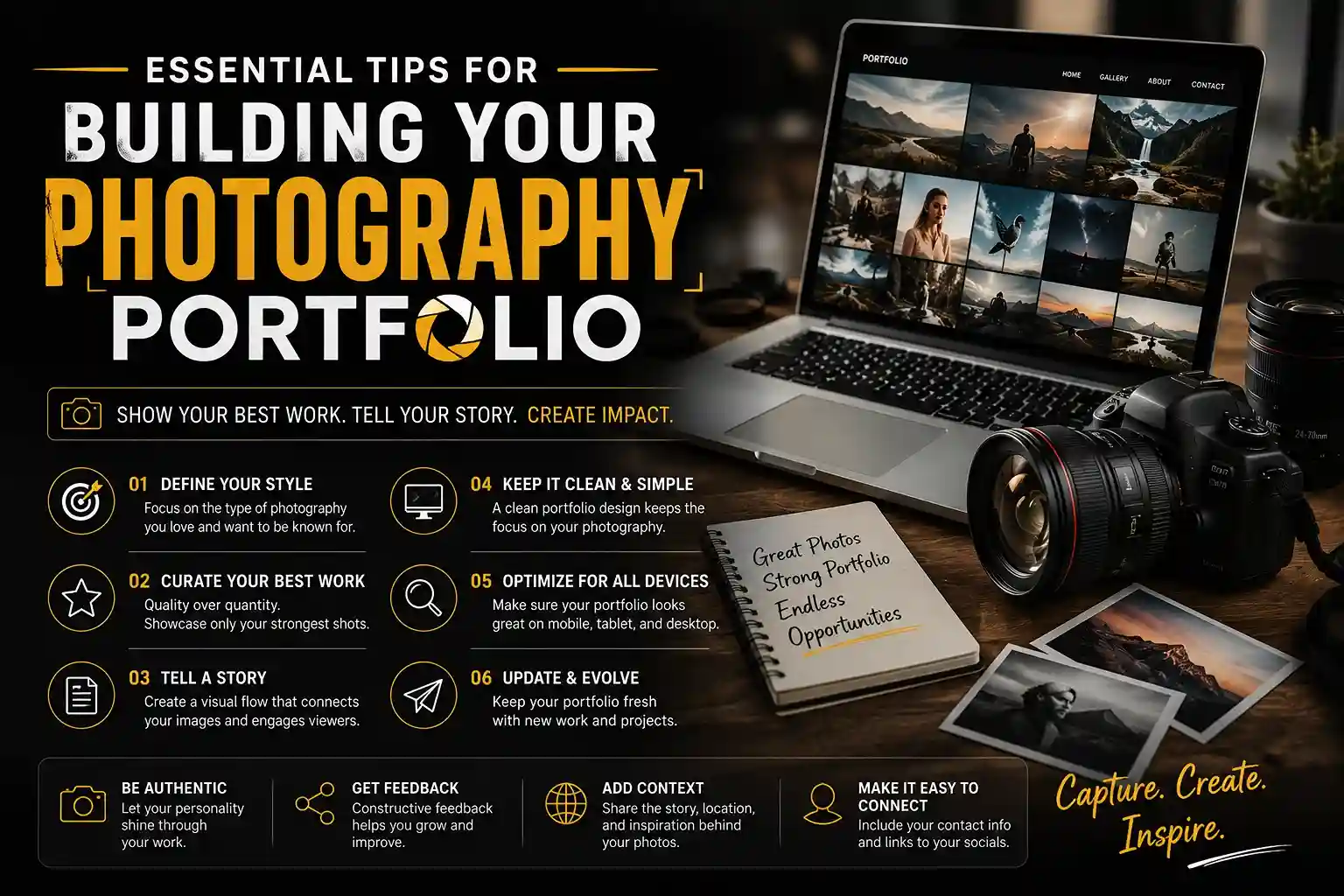
We’ve all been there: someone asks to see your work, and you start scrolling frantically through your camera roll mumbling, “Wait, I know a good one is in here somewhere.” Learning how to create a photography portfolio changes that awkward dynamic entirely.
Think of your current digital hard drive as a massive warehouse holding every picture you ever captured. In practice, a professional showcase operates differently. It acts like a retail storefront window—displaying only your absolute best items to draw people inside.
Making this psychological shift requires you to master curation, which is simply the act of picking your top work and ditching the ‘okay’ shots. Industry experts note that nearly 90% of your raw images should never be seen by clients.
Leaving behind decent pictures hurts initially, but everyone finds this step hard. Having a curated photography portfolio provides an organized digital home that ultimately elevates you from a person with a camera to a true professional.
A professional photography portfolio website is more than just a gallery—it is a powerful tool for showcasing your work, attracting clients, and building your personal brand. To learn how custom web design and development can help create a unique online presence, explore our Custom Website Development Company guide.
We’ve all seen photographers offering weddings, pet portraits, and real estate on the same flyer. While casting a wide net seems smart initially, this “jack-of-all-trades” approach actually makes you less memorable. When people look at websites for photographers, they want to hire an expert, not a generalist. Curating a cohesive body of work—where your images share a clear style or theme—shows potential clients exactly what you do best.
Figuring out your specialty doesn’t have to be a guessing game. Choosing a photography niche for career growth starts with reviewing the photos you already take. To find your natural focus, grab a notebook and ask yourself these four questions:
Answering these honestly helps you identify a clear focus, turning a messy hard drive into a recognizable brand. Once your specialty is locked in, you are ready for the hardest step: selecting the absolute best images to tell your story.
A folder packed with hundreds of photos can feel completely overwhelming. If you are wondering exactly how many images should be in a professional portfolio, the magic number is surprisingly small: a strict limit of 15 to 20 exceptional shots. Remember, your digital showcase is a carefully arranged storefront window, not a warehouse for everything you have ever captured.
Trimming that massive library requires the “Friend Test,” which is your absolute best tool for curating a cohesive body of work. Look at an image and ask yourself: if you only had ten seconds to impress a close friend, would you confidently show them this specific photo? If you hesitate or need to excuse bad lighting, leave it out.
Once you select your absolute winners, arranging them correctly builds a visual narrative flow. Think of your photography portfolio like a great movie that starts strong and ends on a high note. Mix close-up details with wide shots to ensure viewers stay engaged and keep scrolling.
This strict “less is more” approach guarantees your audience never suffers from viewer fatigue. Now that your final images are neatly organized in a folder on your computer, they need a beautiful place to live online. Moving those curated files onto the internet is the next exciting step, whether you decide to explore free platforms or build a custom website.
With your best shots selected, where do they go? Think of the internet like real estate. Social media is a rented apartment—fast to set up, but you do not own the space or control the rules. To be taken seriously, you need an owned digital home built with a dedicated photography website builder.
Securing a personal URL gives you instant credibility and signals that you treat your art professionally. When exploring photography portfolio websites, you will discover different platform ecosystems built for different needs, ranging from free community galleries to completely custom digital storefronts.
Compare these popular photography hosting websites to find your perfect fit:
| Platform | Cost | Customization | Effort Level | | :— | :— | :— | :— | | Behance | Free | Low (Standard grids) | Minimal | | Adobe Portfolio | Included with Adobe account | Medium (Clean templates) | Easy | | Squarespace | Paid monthly | High (Total layout control) | Moderate |
The right choice between Adobe Portfolio vs Squarespace for creative professionals ultimately comes down to your current budget and tech comfort. Pick one and launch without fear! With your curated images finally hanging on those virtual walls, it is time to introduce the artist behind the camera.
Your images brought visitors inside, but people connect with humans, not just cameras. That is why Personal Branding—sharing your unique personality—matters. When writing an engaging photographer about me page, use a simple three-paragraph formula. Introduce who you are, explain why you love shooting, and finish with a quirky personal fact to become memorable.
A frictionless way for visitors to reach out is equally vital. Think of this as the checkout counter in your digital storefront. The essential contact page features for freelance photographers include a basic message form and active social links. Eliminate any guesswork so interested visitors can message you instantly without leaving the page.
Let others brag for you using Social Proof, which means showing that people already value your art. Try including client testimonials to build trust right next to your contact form. A short quote from a happy portrait subject proves you are reliable. With your story established, ensuring your website runs smoothly and is easily discoverable is essential.
Uploading huge camera files directly to your website is like mailing a heavy crate—it takes forever to deliver. When a screen struggles to load your gallery, visitors get impatient and leave before seeing your art. That is why optimizing high-resolution images for web performance is a crucial step. Think of a web-ready image as a lightweight postcard that arrives instantly.
Before dragging photos into your new digital storefront, you need to prepare them. Implementing image seo strategies to get discovered actually starts before you ever hit publish. Follow this quick prep checklist:
Most people will browse your portfolio on their phones. Choosing mobile responsive layouts for visual storytellers guarantees your art scales perfectly on small screens without awkward cropping. With your speedy, searchable site built, organizing and protecting your galleries ensures a safe user experience.
Like a neat storefront window, your website needs clear sections so visitors aren’t overwhelmed. Focus on organizing photo galleries by category or project instead of dumping everything onto one page. Keep local weddings and nature shots separated so visitors find exactly what they need in just two clicks.
Now you might worry about people copying those beautifully arranged images. Slapping a massive watermark across your sunset ruins the viewing experience for everyone else. Instead, focus on protecting digital artwork from online theft through built-in, invisible safeguards. Most website builders let you disable the “right-click to save” function, which acts as a gentle locked door against casual stealing.
Security should never sacrifice beauty. When checking photography portfolio website examples for inspiration, notice how their images always remain unobstructed. While secure websites handle everyday sharing beautifully, sometimes you need to step away from screens entirely for high-stakes meetings.
Even if you used the best website builder for photographers, pixels on a screen have limits. Stepping into the real world introduces Physical Presence—giving someone a tangible object they can hold. A beautifully printed photo book feels much more personal than scrolling on a phone, turning a quick glance into a memorable, focused experience without digital distractions.
Deciding between a printed vs digital portfolio presentation comes down to your audience and goals. A physical book truly stands out in specific situations:
In these moments, Tactile Branding matters. The physical weight of the book and the thickness of the paper subtly tell clients your work is premium before they even speak to you.
Always prepare a “leave-behind”—like a simple postcard featuring your absolute best photo—so your art stays on their desk after you leave. Whether you stick to digital links or decide to hand out physical prints, you are finally ready to officially launch your professional portfolio.
Creating an impressive photography portfolio requires thoughtful design, fast performance, and a seamless user experience. For a deeper understanding of how professional websites are planned and built, visit our Custom Website Development Company guide.
You’ve navigated the leap from a cluttered camera roll to a curated professional gallery. Before publishing, run a quick final review: ensure your best shots lead, your bio is friendly, your contact info works, your navigation is clean, and your images load fast. Ultimately, understanding how to create a photography portfolio means embracing a living document, not chasing perfection.
Look at various photography portfolio website examples for inspiration on adapting this space later. Exploring different photography websites reveals that even the pros constantly update their storefronts. As your skills sharpen, simply swap out older pieces for new triumphs to keep your presentation fresh.
Your next step is sharing your link in job applications or networking emails. Success isn’t about gathering social media likes; it’s about feeling completely confident when someone asks to see your work. Put your art out there and open those professional doors.